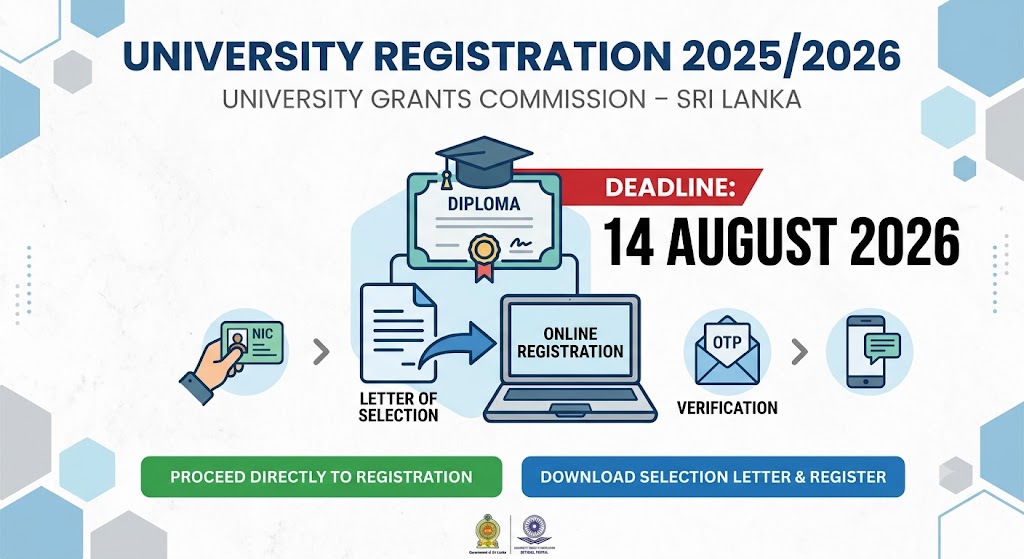
University Registration
The University Grants Commission has opened the online registration process for students selected for university admission for the academic year 2025/2026.
Students can download their Letter of Selection and related documents through the official selection letter portal. Students who have already downloaded these documents can directly access the online registration system.
University Registration 2025/2026 – UGC Selection Letter & Details
| Conducted by | University Grants Commission (UGC) – Sri Lanka |
| Closing Date | 2026.08.14 |
| Location | Sri Lanka / Islandwide |
| Duration | Academic Year 2025/2026 |
| Course Fee | Free (State University Admission) |
| Important Registration Instructions | Download PDF |
| Proceed Directly to Registation | Click Here |
| Download Selection Letter & Registar | Click Here |
| Source | Click Here |
| Join Whatsapp Channel | Click Here |
| Join Facebook Page | Click Here |
Which Link Should You Use?
Option 01 – Direct Registration
Use the direct registration link if you have already downloaded:
- Your Letter of Selection
- Annex I – Schedule
- Annex II – Online registration instructions
Click the green “Proceed Directly to Registration” button given above.
Option 02 – Download Selection Letter and Register
Use this option if you have not yet downloaded your Letter of Selection or the related documents.
Click the blue “Download Selection Letter & Register” button given above.
How to Download the Selection Letter
1.Open the Selection Letter portal and enter the User ID and password used for your online university admission application.
2.Your User ID is the email address used when creating your university admission account. Use the “Forgot Password” option when necessary.
3.Verify your identity by completing the requested NIC and mobile telephone number details.
4.Open the verification email sent by the Department of University Admissions and click the link provided to generate the OTP.
5.Enter the OTP received on your registered mobile telephone number and submit it.
6.The Selection Letters page will display your selected course, university, Letter of Selection and related registration documents.
7.Download the complete file, carefully read all instructions and proceed to the online registration system.
Important Information
- Use the email address and mobile number entered in the original university admission application.
- Keep access to the registered email account and mobile telephone because they are required for OTP verification.
- Download and safely save the Letter of Selection and all related documents before leaving the portal.
- Read the Letter of Selection, Annex I and Annex II carefully before completing registration.
- Students whose registered email address or mobile telephone number is no longer active should contact the Department of University Admissions using the contact details published on the official UGC website.
- Complete the online registration process on or before 14 August 2026.